 Sketch2Space
Bathroom furniture, light mode, and sketch checks
Updated 2026-07-09add furniture to 3D floor planbathroom 3D floor plan3D floor plan furniture libraryfloor plan sketch upload
This release fills out the bathroom, brightens up the whole app, and catches bad uploads before they waste your time.
What shipped#
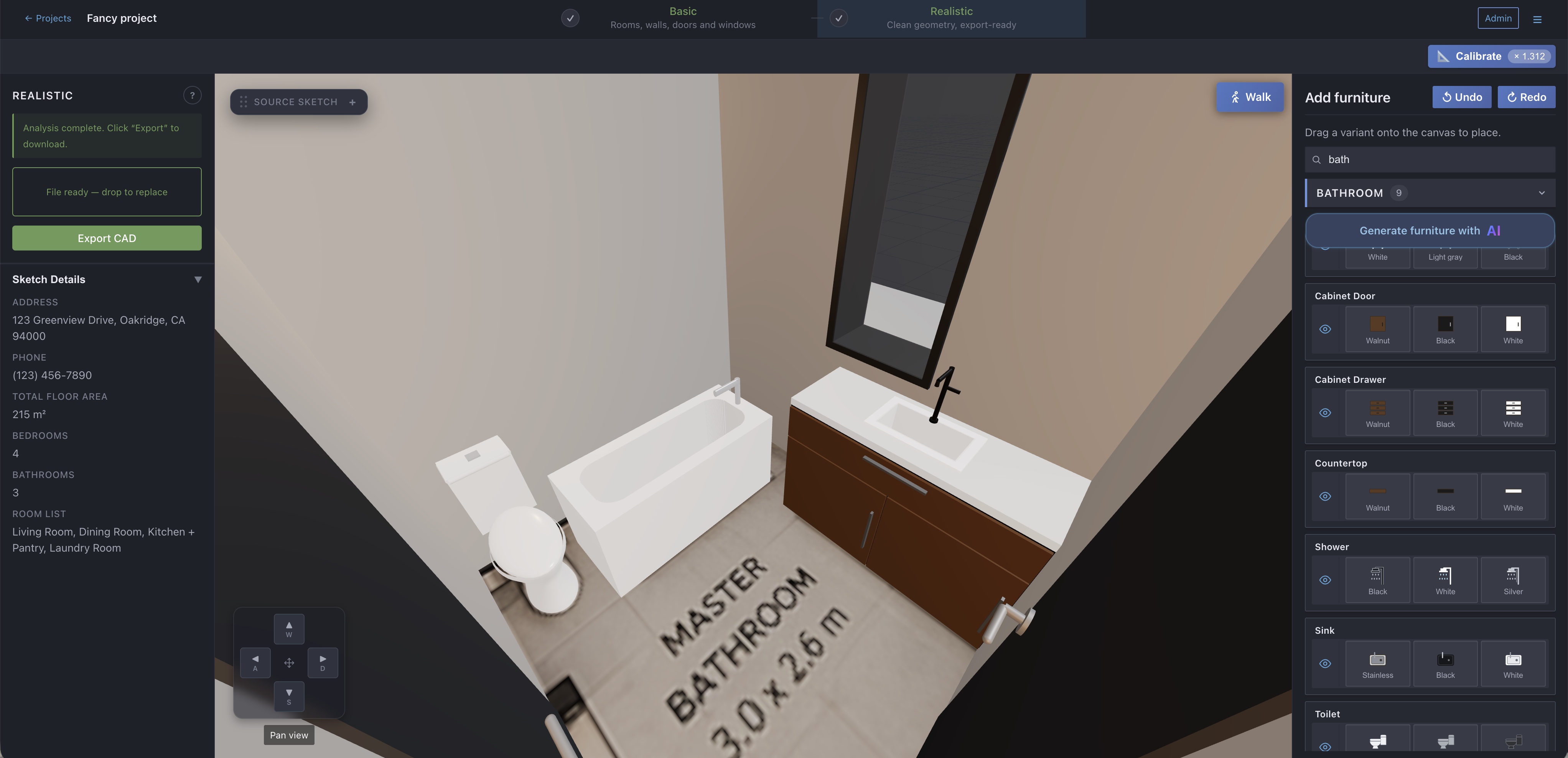
- Bathroom and laundry furniture. The built-in furniture library now includes a toilet, shower, bathtub, bathroom cabinet, and washing machine. Drag them in like any other piece — see Add and arrange furniture.
- Light and dark mode. The whole app — workspace, dashboard, docs, and landing page — now comes in a light look and a dark look. Switch anytime from the user menu (top right).
- Upload checks. If you upload an image that isn't a floor plan (a photo, a site map, a 3D render), Sketch2Space now tells you right away with a short plain-language reason instead of building a broken model. Real sketches are never blocked — when in doubt, the analysis still runs.
- Smarter furniture snapping. Pieces now catch the wall behind them more reliably, even when pushed into a corner.
- Pan the view. Move around the model with the arrow keys or the new on-screen pan buttons.
Also in this release: fixes for very large sketches and very complex walls, a brighter 3D canvas, the analysis progress card now appears the moment your upload starts, and the bottom tabs on mobile are easier to see.
Why it matters#
Bathrooms are in almost every plan, so until now the most common room was the hardest to furnish. And the upload check saves the round-trip of waiting for an analysis that was never going to work — you get the reason in seconds and can upload the right file. See how to convert a sketch to 3D for the full flow.
How to use it#
- Furniture: open the Furniture panel, find the new pieces under bathroom, and drag them onto the model. Full steps in Edit your 3D model.
- Light/dark mode: click your avatar (top right) and pick the theme.
- Upload checks and snapping work on their own — nothing to switch on. Just upload a sketch as usual.
Ready to turn a sketch into a 3D model?
Get started free